


We have reached PHASE 05: DATA_RECOVERY_AND_CARVING. In the previous phases, we relied on the Operating System’s “word”—we looked at the MFT, the Registry, and the Recycle Bin. But what happens when the MFT record is destroyed? What happens when an attacker wipes the file system metadata entirely?
This is where we move into File Carving. Carving is a “metadata-agnostic” recovery technique. We ignore the file system, ignore the filenames, and ignore the folder structures. Instead, we scan the raw binary “ground” (the sectors and clusters) looking for specific patterns of bytes that identify the start and end of a file. This is the digital equivalent of reconstructing a shredded document based solely on the shape of the paper scraps.
1. The Foundation: “Magic Bytes” (File Signatures)
Every file format has a “signature” or “Magic Bytes”—a specific sequence of hex values at the very beginning (the header) and often at the very end (the footer) that tells the OS how to interpret the data.
Because these bytes are constant, we can search for them in Unallocated Space to find files that the Operating System thinks are gone forever.
| File Type | Header (Hex) | Footer (Hex) |
| JPEG Image | FF D8 FF E0 | FF D9 |
| PDF Document | 25 50 44 46 | 25 25 45 4F 46 |
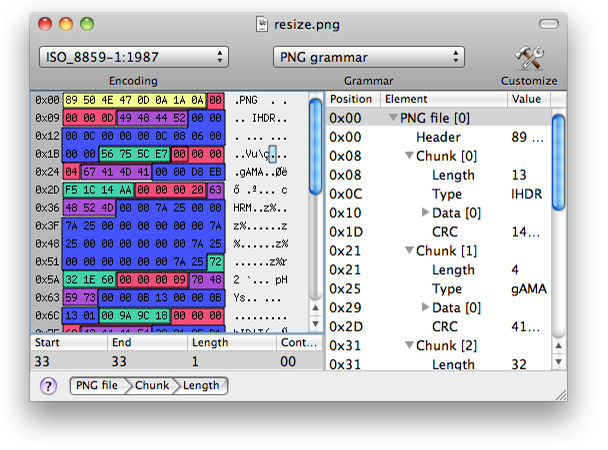
| PNG Image | 89 50 4E 47 0D 0A 1A 0A | 49 45 4E 44 AE 42 60 82 |
| ZIP Archive | 50 4B 03 04 | 50 4B 05 06 |
2. The Mechanics of the Carve
When a file is deleted, the MFT marks the clusters as “Available,” but the data remains. A carving tool performs the following steps:
- Header Identification: The tool scans the disk for a known header (e.g.,
%PDFor25 50 44 46). - Footer Seek: Once a header is found, the tool continues scanning until it finds the corresponding footer (e.g.,
%%EOF). - Extraction (The “Carve”): The tool extracts everything between that header and footer and saves it as a new file (e.g.,
File0001.pdf).
The Challenge of Fragmentation
Carving works perfectly if the file is Contiguous (stored in sequential clusters). However, if the file is Fragmented (split across different parts of the disk), a simple carver will grab the wrong data between the header and the footer. This results in “Corrupted” files where half the image is missing or replaced by random noise.
3. Practical Example: The “Zero-Knowledge” Recovery
Scenario: You are investigating a suspect who used a “Wipe Free Space” utility. The MFT shows no records of any illicit images. However, the wiping utility failed to clear the Slack Space and the Unallocated Space at the end of the volume.
The Forensic Discovery: You run a carver like Scalpel or PhotoRec on the unallocated space.
- The tool identifies a JPEG header (
FF D8 FF E0) at Offset0x55A000. - It identifies the footer (
FF D9) 2.4MB later. - Upon extraction, you recover a high-resolution photo of a stolen credit card.
The Analysis: Since there is no MFT entry for this file, you cannot see the “Original Filename.” However, you can use Exif Metadata inside the carved JPEG to find the camera model and the GPS coordinates of where the photo was taken, linking the data back to the suspect’s physical location.
4. Tactical Workflow: Professional Carving
- Image the Drive: Never carve a live drive. Work on a raw (
.ddor.E01) image. - Target Unallocated Space: To save time, use a tool like FTK Imager to export only the “Unallocated Space” into a separate file.
- Configure the Carver: Set your tool (e.g., Foremost) to look specifically for the file types relevant to your case (e.g.,
jpg, pdf, docx).
foremost -t jpg,pdf -i evidence_image.dd -o /cases/recovery_output- Validation: Once the files are carved, use a “Header Validator” to filter out false positives (random data that happened to look like a file signature).
5. Advanced Carving: The “Slack Space” Hunter
Don’t forget the Slack Space. Small files or fragments of documents often hide in the few hundred bytes at the end of an active file’s last cluster.
- Pro Tip: Use Bulk Extractor. This tool doesn’t just carve files; it carves Features. It scans the entire disk for patterns like Email Addresses, Credit Card Numbers, and JPEGs regardless of file boundaries. This is the fastest way to find evidence of “Data Exfiltration” hidden in the cracks of the file system.