On this page
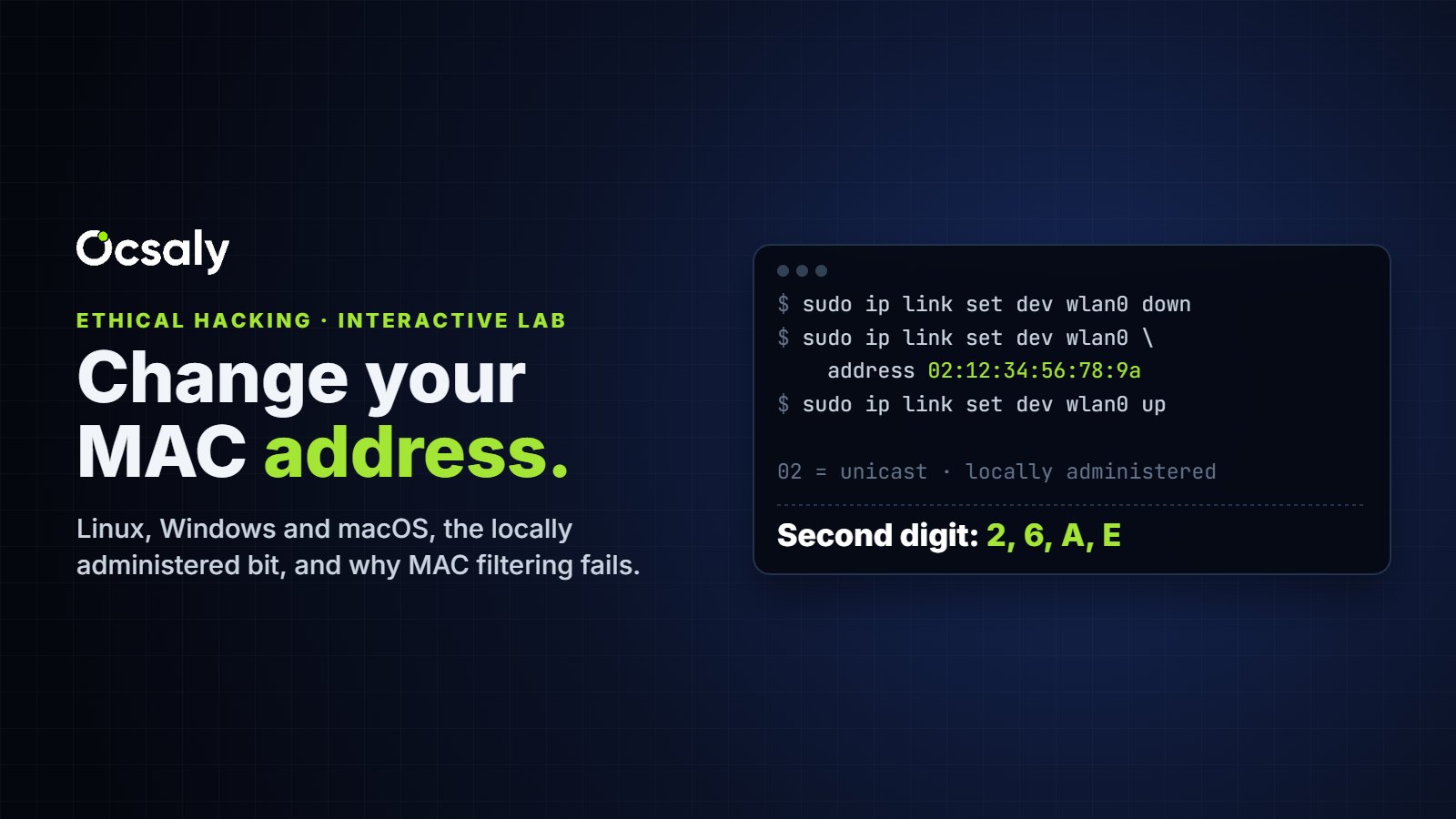
A MAC address is the 48-bit hardware address a network card uses on the local network, written as six pairs of hex digits such as 3c:52:82:4a:10:7e. You can change it in software. On Linux, bring the interface down, set the new address with ip link set dev wlan0 address 02:12:34:56:78:9a and bring it up again, or let NetworkManager randomise it. On Windows, switch on Random hardware addresses in the Wi-Fi settings, or set Network Address in the adapter’s Advanced properties in Device Manager. The change lasts until reboot unless you configure it permanently.
People change MAC addresses for privacy on public Wi-Fi, to replace a network card without re-registering it, and when testing their own network. Because the address is so easy to change, MAC filtering is not a security control, as explained at the end.
Understand the address first
The first three bytes are usually the manufacturer’s OUI (organisationally unique identifier); the last three are the device’s own number. Two bits in the first byte matter when you choose a new address:
| Bit in the first byte | Value 0 | Value 1 |
|---|---|---|
| Lowest bit (I/G) | Unicast: one device. Use this. | Multicast. Never use for a device. |
| Second-lowest bit (U/L) | Universally administered: assigned by the manufacturer | Locally administered: set by software |
So a self-chosen address should have the second hex digit 2, 6, A or E, for example 02:…, x6:…, xA:… or xE:…. That marks it as locally administered and unicast, avoids clashing with real hardware, and is what Windows requires for Wi-Fi adapters. The lab at the end checks any address for you.
Linux: ip link (any distribution)
ip link show                                   # find the interface name and current MAC
sudo ip link set dev wlan0 down
sudo ip link set dev wlan0 address 02:12:34:56:78:9a
sudo ip link set dev wlan0 up
ip link show wlan0                             # check
The change is lost at reboot. If NetworkManager manages the interface, it may reset the address when it reconnects; use one of the methods below instead.
Linux: macchanger
sudo apt install macchanger
sudo ip link set dev wlan0 down
sudo macchanger -r wlan0        # fully random
sudo macchanger -a wlan0        # random, but with a real vendor prefix
sudo macchanger -p wlan0        # back to the permanent hardware address
sudo ip link set dev wlan0 upLinux: NetworkManager (permanent, per network)
# Random address for every connection to this Wi-Fi network
nmcli connection modify "HomeWiFi" wifi.cloned-mac-address random

# The same random address every time for this network
nmcli connection modify "HomeWiFi" wifi.cloned-mac-address stable

# Use a fixed address of your choice (wired example)
nmcli connection modify "Wired connection 1" ethernet.cloned-mac-address 02:12:34:56:78:9a

nmcli connection up "HomeWiFi"
“stable” gives each network its own address that does not change between visits, which is good for privacy without breaking captive portals and router reservations.
Windows 10 and 11
Wi-Fi, the easy way: Settings > Network and internet > Wi-Fi > Random hardware addresses: On. You can also set it per network under that network’s properties (“Change daily” is an option).
Any adapter, a fixed address:
- Open Device Manager and expand Network adapters.
- Right-click the adapter > Properties > Advanced.
- Select Network Address (sometimes “Locally Administered Address”).
- Enter 12 hex digits without separators, for example 02123456789A, and click OK.
- Disable and enable the adapter, then check with
getmac /voripconfig /all.
If the option is missing, the driver does not support it. For Wi-Fi adapters, Windows only accepts addresses whose second digit is 2, 6, A or E.
macOS
macOS has “Private Wi-Fi address” in each network’s details in System Settings > Wi-Fi, which uses a random address per network.
Why MAC filtering is not security
Some routers let only listed MAC addresses connect. It feels secure, but:
- MAC addresses are sent unencrypted in every Wi-Fi frame header, even on WPA2 and WPA3 networks, so anyone nearby can see which addresses are allowed.
- As this article shows, any device can use a different address in seconds.
- It creates work for administrators and breaks when phones use random addresses.
Real protection for Wi-Fi is WPA3 (or WPA2 with a long passphrase), with WPA2/WPA3-Enterprise (802.1X) for companies so each user has their own credentials, plus network segmentation for guests and IoT devices. On wired networks, use 802.1X port authentication instead of MAC lists. Testing whether your own network relies on MAC filtering is a classic finding in authorised penetration tests.
Interactive lab: MAC address checker and generator
Frequently asked questions
Is it legal to change my MAC address?
Changing your own device's MAC address is legal in most countries and is built into Windows, macOS, Android and iOS for privacy. Using a changed address to get into a network you are not allowed to use, or to impersonate someone else's device, is not.
Does changing the MAC address change my IP address?
On networks that use DHCP, a new MAC usually gets a new IP address, because routers hand out addresses per MAC. Your public internet IP address normally stays the same, because it belongs to your router.
Does a MAC address change survive a reboot?
Not with ip link or macchanger. NetworkManager connection settings, the Windows adapter property and the Windows random-address setting are permanent until you change them back.
Why does Windows reject my new MAC address?
For Wi-Fi adapters, the second hex digit must be 2, 6, A or E (locally administered unicast). Some drivers also do not support changing the address at all.
Can websites see my MAC address?
No. The MAC address is only used on your local network segment and is replaced at every router. Websites see your public IP address, not your MAC.
Where to go next
Network reconnaissance, wireless security testing and the rest of a professional penetration test are taught in the Ocsaly Certified Ethical Hacking Course. To see MAC addresses in real traffic, use the Wireshark Filters Cheat Sheet (filter eth.addr).