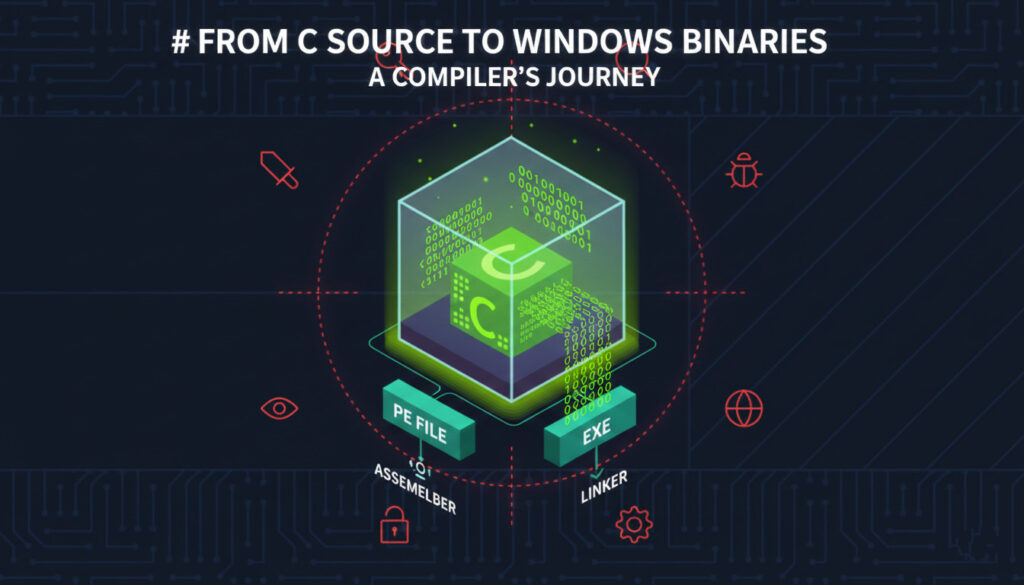
Welcome, future cybersecurity professionals and reverse engineers! In this lecture, we’re going to embark on a fascinating journey, dissecting the fundamental process of how your humble C code transforms into a runnable Windows executable. Understanding this pipeline is crucial for anyone delving into malware analysis, exploit development, and evasion techniques. We’ll explore the roles of the compiler, assembler, and linker, and demystify the Portable Executable (PE) format.
Ready to dive in? Let’s begin!
The Simplest Windows Program in C
Every piece of software, no matter how complex, starts with a simple intention: to perform a function. This often involves interacting with the underlying operating system. Think about it: reading user input, displaying output, accessing files – these all require system calls. It’s almost impossible to write a meaningful program that doesn’t interact with the OS in some way.
In the Windows world, when you compile a C program, you need to specify a subsystem. The two most common ones you’ll encounter are windows (for graphical applications) and console (for command-line tools). You can read more about these at Microsoft’s documentation on /SUBSYSTEM.
Let’s look at the absolute simplest C program for Windows that demonstrates this interaction:
C
#include <Windows.h>

int main(void) {
    MessageBoxA(0, "hi there.", "info", 0);
    return 0;
}
This tiny program has one job: to pop up a message box!
The MessageBoxA function is part of the USER32.DLL library, a core Windows component responsible for user interface elements. The parameters passed to it control the owner window (none in this case, hence 0), the message text (“hi there.”), the title of the message box (“info”), and the type of message box (again, 0 for a simple OK button).
C Compiler: From High-Level to Assembly
Now, here’s where the magic begins. Our human-readable C code isn’t something the CPU can directly understand. The first major player in our journey is the C compiler. Its primary task is to translate this C code into assembly code. This translation adheres strictly to the C/C++ calling conventions that are in use on the target architecture.
Let’s visualize this crucial step:
Important Note: For convenience and clarity, our examples will primarily use x86 instructions. However, the underlying principles and methods are common across all Windows systems and architectures (x64, ARM, etc.). Our compiler examples will be based on the GNU Compiler Collection (GCC) for Windows (MinGW).
Different system functions and even third-party modules have specific expectations for how data is passed to them at the assembly level. This is where Application Binary Interface (ABI) calling conventions come into play. These conventions standardize how functions are called and how parameters are handled. For a deeper dive, Microsoft’s documentation on Argument Passing and Naming Conventions is an excellent resource.
These calling conventions primarily address:
- Parameter Placement: Where are the function arguments placed? This could be on the stack, in specific CPU registers (like
ECX), or a combination of both for performance optimization. - Memory Space for Parameters: How much memory is allocated for parameters if they are stored on the stack?
- Memory Release Responsibility: Who is responsible for cleaning up the memory space occupied by the parameters after the function returns – the caller or the callee?
When the compiler generates assembly code, it “knows” the calling convention of the target system function. It arranges the parameters in memory according to these rules, and then uses a call instruction to jump to the function’s memory address. This ensures that when the CPU executes the system instruction, it can correctly retrieve the function parameters from their expected memory locations.
Let’s revisit our MessageBoxA example and apply this understanding. The USER32!MessageBoxA function typically uses the WINAPI calling convention (also known as __stdcall). In this convention:
- Parameters are pushed onto the stack from right to left.
- The callee (the called function) is responsible for cleaning up the stack space after the function returns.
So, for MessageBoxA(0, "hi there.", "info", 0);, the compiler will generate assembly instructions that:
- Push the last parameter (
0) onto the stack. - Push the third parameter (a pointer to the string “info”) onto the stack.
- Push the second parameter (a pointer to the string “hi there.”) onto the stack.
- Push the first parameter (
0) onto the stack.
Since each uint32_t (a typical size for parameters on x86) occupies 4 bytes, pushing four parameters means 16 bytes (sizeof(uint32_t) * 4) will be allocated on the stack.
After these push operations, a call MessageBoxA instruction will transfer control to the MessageBoxA function. Once MessageBoxA finishes its execution (i.e., you click “OK” on the message box), it will execute a ret 0x10 instruction. The 0x10 (decimal 16) in ret 0x10 tells the CPU to not only return to the instruction after the call but also to pop 16 bytes off the stack, effectively cleaning up the parameter space.
Code snippet
; Example of generated assembly for MessageBoxA (simplified)

push    0h                  ; push 0 (uType)
push    OFFSET FLAT:__info  ; push address of "info" string (lpCaption)
push    OFFSET FLAT:__hithere ; push address of "hi there." string (lpText)
push    0h                  ; push 0 (hWnd)
call    MessageBoxA         ; Call the MessageBoxA function

; ... later, MessageBoxA would handle the stack cleanup with ret 0x10
Here’s a diagram illustrating the x86 calling convention, showing how parameters are pushed onto the stack: