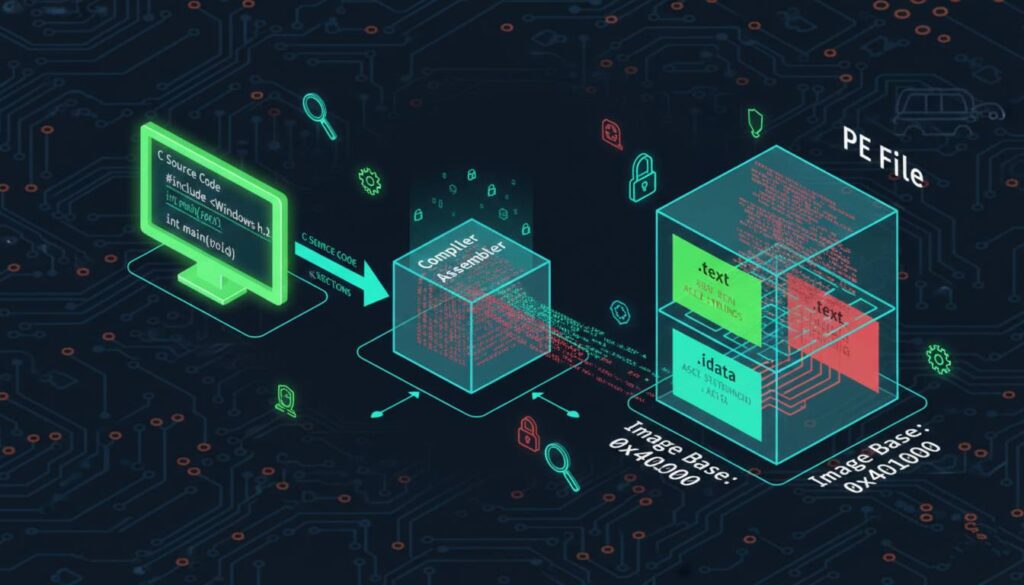
Have you ever wondered what actually happens when you click “Build” in your IDE? For a malware analyst or an ethical hacker, the “magic” that happens between writing a line of C code and getting a clickable .exe is where the most important secrets are hidden.
Today, we are deconstructing the Compiling Stage-the moment your logic becomes “Native.”
The Source Material
Let’s start with our classic Windows “Hello World” equivalent. This simple program triggers a GUI message box:
#include <Windows.h>

int main(void) {
    // Title: info, Content: hi there.
    MessageBoxA(0, "hi there.", "info", 0);
    return 0;
}To us, this is readable. To the CPU, this is gibberish. The processor doesn’t know what a “string” is or what MessageBoxA does. It only knows Machine Code.
Phase 1: Native Code Generation
The compiler’s first job is to translate these textual commands into the x86 Instruction Set. Every command you write has a corresponding hex value (Opcode).
As shown in the logic of native code generation, a simple command like push 0 isn’t just text—it’s encoded into the bytes 6A 00.
The Encoding Breakdown:
- Simple Push:
push 0becomes6A 00. (Small, 1-byte data). - Memory Push:
push 0x402005becomes68 05 20 40 00. (A longer instruction to handle a 4-byte address). - The System Call:
call ds:[0x403018]becomesFF 15 18 30 40 00.
Hacker’s Note: Little-Endian Order > Notice that the address
0x403018became18 30 40 00in machine code. This is Little-Endian. Windows x86 chips store the “least significant byte” first. When you’re reading raw hex in a memory dump, you have to learn to read “backwards” to see the real addresses!
Phase 2: The COFF Wrapper (The “Pre-EXE”)
Once the compiler has generated these hex bytes and organized them into sections (like .text for code and .rdata for strings), it doesn’t create an .exe immediately. Instead, it creates a COFF (Common Object File Format) file.
Think of the COFF file as a “shipping container.” It’s a wrapper that records:
- IMAGE_FILE_HEADER: How many sections (drawers) are in this file?
- IMAGE_SECTION_HEADER: An array that tells the OS the exact size and location of each section.
- Raw Data: The actual machine code and strings.
By using a tool like PEview, we can see that the COFF file is just an organized list. It tells the system: “I have a .text section that is 100 bytes long, and here is the machine code to put inside it.”
Why This Matters for Ethical Hacking
When you are analyzing APT Malware, you rarely get the source code. You are looking at the result of this process.
- If you understand how the compiler encodes a
CALLinstruction, you can spot when a hacker has “patched” a binary to redirect a function to their own malicious code. - If you understand the COFF structure, you can identify “Packers”—tools malware authors use to compress or encrypt these sections to hide from Antivirus scanners.
Downlad Link for PE Viewer
http://wjradburn.com/software/
these are different versions and different apps, you can try both
https://download.cnet.com/pe-viewer/3000-2352_4-10966763.html
Summary
The journey from C to Binary involves:
- Translating text to Assembly.
- Encoding Assembly into Machine Code (Opcodes).
- Packaging everything into a COFF file with headers.
In our next post, we will look at the final stage: The Linker, and how it turns these raw object files into the final Portable Executable (PE) that runs on your system.