


Processors do not understand assembly.
They understand machine code only.
Assembly exists for humans.
Assemblers exist to erase that advantage.
This lecture explains how assembly becomes executable, how labels work, and why architecture matters more than syntax.
0x01: What an Assembler Actually Does
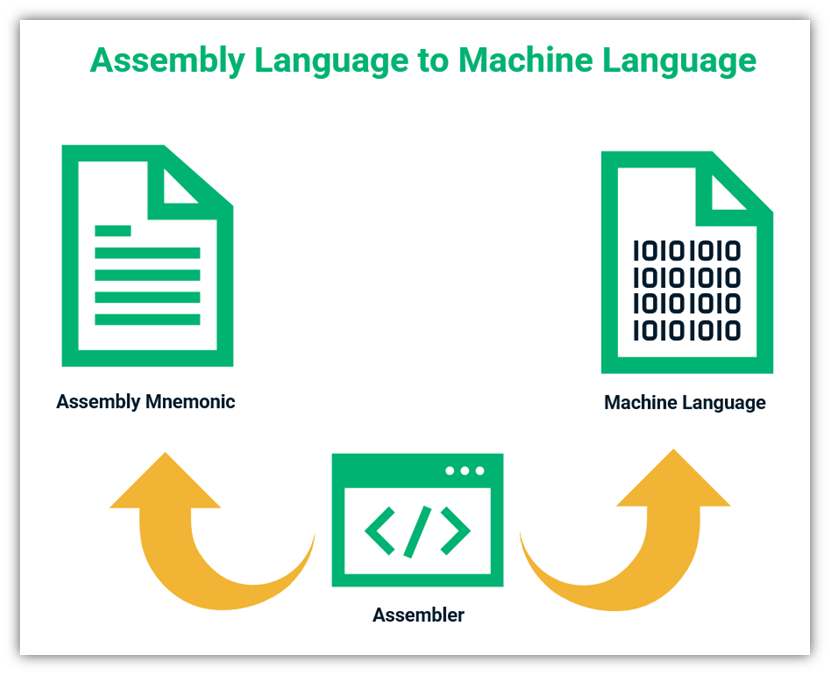
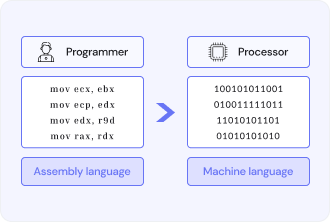
An assembler converts human-readable assembly instructions into binary machine code.
Its responsibilities include:
- Translating instruction mnemonics into opcodes
- Resolving labels into addresses
- Applying assembler directives
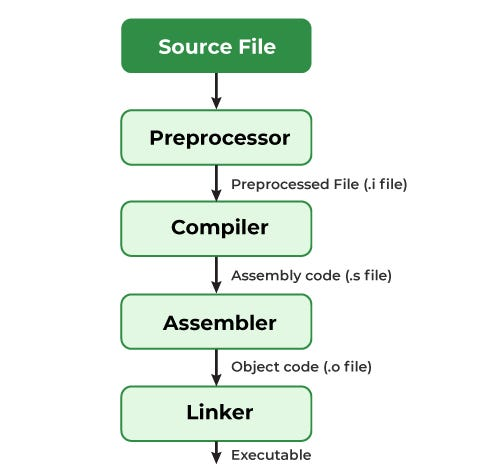
- Emitting object files for the linker
Assembly language and assembler language are two views of the same system:
- One defines what you write
- The other defines how it is interpreted
0x02: Assembler Directives vs Instructions
Not everything in an assembly file becomes machine code.
Assembler directives instruct the assembler itself.
Examples:
.section .text→ where code lives.global _start→ symbol visibility.thumb→ instruction encoding mode
These do not execute on the CPU.
They configure how code is assembled.
0x03: From Source to Object File
Given a file like:
.section .text
.global _start
_start:
.thumb
movs r1, #5
ldr r3, [r2]
The assembler:
- Parses directives
- Encodes two 16-bit instructions
- Outputs an object file, not a runnable binary
Example output (hexadecimal machine code):
05 10 a0 e3 00 30 92 e5
This is what the CPU will actually execute.
0x04: Labels Are Address Anchors
A label represents a specific memory location.
Used for:
- Branch targets
- Function entry points
- Global variables
- Data references
Example:
b mylabel
The assembler does not know the final address.
It records symbol references for the linker to resolve later.
Labels enable:
- Control flow reconstruction
- Relative addressing
- Position-independent logic
adr r2, myvalue
ldr r3, [r2]
Meaning:
- Load the address of
myvalue - Then load the data at that address
This distinction is critical in reverse engineering:
- Pointer vs value
- Code vs data
- Instruction vs operand
0x06: Syscalls and Real Execution
Assembly programs interact with the OS via syscalls.
Example flow:
- Load syscall number into a register
- Populate arguments
- Trigger
svc #0
This is where:
- User space meets kernel space
- Assembly becomes observable behavior
0x07: Architecture Is Law
Machine code is architecture-specific.
Same logic ≠ same bytes.
Example:
mov r0, #1
Encodes differently on:
- ARM 32-bit
- ARM 64-bit
- Intel x86-64
Even worse:
- The same bytes can mean different instructions on different architectures
This is why:
- Running ARM binaries on x86 fails
- Disassembly must match architecture
- Blind analysis is dangerous
INTEL TYPE: INSTRUCTION COMPILATION OBJECTIVE: UNDERSTAND THE TRANSFORMATION FROM ASSEMBLY TO MACHINE CODE.
In this lab, you are interacting with an Assembler. Computers cannot understand human-readable mnemonics like MOV or ADD directly. Instead, the CPU requires binary—represented here in Hexadecimal—to execute commands.
0x01: How it Works
- Mnemonic (The Input): You enter a command like
MOV R1, #FF. - Opcode (The ID): The Assembler identifies the operation (e.g.,
MOVbecomesA1). - Operands (The Target): It identifies the register (
R1becomes01) and the immediate value (#FFremainsFF). - Machine Code (The Result): The bits are packed together into a final hex string that the processor hardware can physically process.
0x02: Execution Enter your instruction in the terminal below. The system is designed to be case and space insensitive to ensure your mission flow is not interrupted by minor syntax errors.
0x08: Cross-Assembling Explained
Assemblers do not need to run on the target CPU.
A cross-assembler:
- Runs on one architecture
- Emits binaries for another
Example:
- x86-64 host
- ARM target
arm-linux-gnueabihf-as
This is how:
- Embedded firmware is built
- Mobile binaries are produced
- Reverse engineers recreate targets safely
[MISSION CHECKPOINT]
Assembly is not universal.
Machine code is not portable.
Architecture defines meaning.
Reverse engineering starts by identifying what CPU you’re dealing with.
TERMINAL_CHALLENGE // P3.3
What is the program called that converts assembly instructions into machine code?