
NSE scripts are small Lua programs that extend Nmap from a port scanner into a tool that can grab web page titles, read TLS certificates, enumerate SMB shares, check for known vulnerabilities and much more. Nmap ships with hundreds of them. You run the default set with nmap -sC target and a specific script with nmap --script http-title -p 80,443 target.
This guide explains the script categories, how to select and run scripts safely, and the scripts that are worth knowing first. Only scan systems you own or have written permission to test.
How to run NSE scripts
| Command | What it does |
|---|---|
nmap -sC target | Run the default scripts (same as --script=default) |
nmap -sV -sC target | Detect versions first, then run the default scripts. The most common combination |
nmap --script http-title -p 80,443 target | Run one script against the ports you choose |
nmap --script "http-*" -p 80 target | Run every script whose name starts with http- (use with care) |
nmap --script "default and safe" target | Combine categories with and, or and not |
nmap --script "not intrusive" target | Everything except intrusive scripts |
nmap --script dns-brute --script-args dns-brute.threads=5 example.com | Pass arguments to a script |
nmap --script-help ssl-enum-ciphers | Read what a script does before you run it |
nmap --script-updatedb | Rebuild the script database after adding scripts |
Scripts live in /usr/share/nmap/scripts/ on Linux. To find scripts for a service, search that folder: ls /usr/share/nmap/scripts | grep smb.
The 14 NSE script categories
| Category | What its scripts do | Risk |
|---|---|---|
| default | Fast, useful, low-noise scripts run by -sC | Low |
| safe | Designed not to crash services or use lots of bandwidth | Low |
| discovery | Learn more about the network: titles, shares, DNS, SNMP | Low to medium |
| version | Extend -sV version detection (run automatically) | Low |
| auth | Check authentication, such as anonymous FTP logins | Low to medium |
| broadcast | Discover hosts by broadcasting on the local network | Low |
| external | Send data to third-party services, such as vulnerability databases | Privacy |
| vuln | Check for specific known vulnerabilities | Medium |
| intrusive | Noisy or risky: may crash services or be seen as an attack | High |
| brute | Guess credentials. Can lock out accounts | High |
| fuzzer | Send unexpected input to find bugs | High |
| malware | Look for signs of backdoors or infections | Medium |
| exploit | Actively exploit vulnerabilities | High |
| dos | May cause a denial of service | High |
A script can belong to several categories. On real engagements, stay with default, safe, discovery and version unless your written scope explicitly allows brute force, exploitation or denial-of-service testing.
Useful NSE scripts to learn first
| Script | What it tells you |
|---|---|
http-title | The title of each web page. Quickly shows what a web server is |
http-headers | HTTP response headers such as Server and security headers |
ssl-cert | TLS certificate details: names, issuer and expiry date |
ssl-enum-ciphers | Supported TLS versions and ciphers, with a grade |
ssh-hostkey | SSH host key fingerprints, useful to spot reused keys |
ssh2-enum-algos | SSH key exchange, encryption and MAC algorithms |
ftp-anon | Whether anonymous FTP login is allowed and what is visible |
smb-os-discovery | Windows version, computer name and domain over SMB |
smb-protocols | Which SMB versions are enabled (SMBv1 is a red flag) |
dns-brute | Common subdomains of a domain (in scope only) |
vulners | Known CVEs for detected versions. Needs -sV and sends data to vulners.com |
A typical, low-risk combination for one web server looks like this:
sudo nmap -sV -p 80,443 --script "http-title,http-headers,ssl-cert,ssl-enum-ciphers" targetReading NSE output
Script results appear under the port they ran against, indented with a pipe character. Host-level scripts appear in a separate Host script results section at the end:
PORT    STATE SERVICE
443/tcp open  https
| ssl-cert: Subject: commonName=www.example.com
| Issuer: commonName=R11/organizationName=Let's Encrypt
| Not valid before: 2026-10-01T08:12:44
|_Not valid after:  2026-12-30T08:12:43
| http-title: Example Domain
|_Requested resource was https://www.example.com/
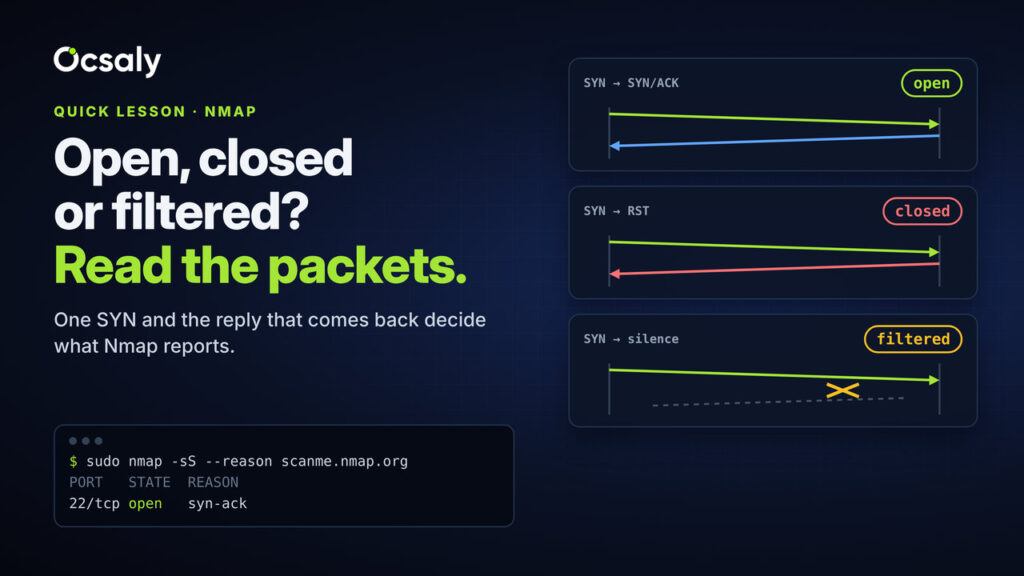
Save results with -oA so you can search them later. The XML output keeps script results structured, which makes it easy to import into reports. For the scan types and port states behind these results, see the Nmap cheat sheet with interactive lab.
Frequently asked questions
What does nmap -sC do?
It runs the default NSE scripts against every open port Nmap finds. It is the same as --script=default. The default scripts are chosen to be fast, useful and unlikely to harm services, which is why -sC is often combined with -sV.
Where are Nmap scripts stored?
On Linux they are usually in /usr/share/nmap/scripts/, as files ending in .nse. On Windows they are in the scripts folder of the Nmap installation directory. Run nmap --script-updatedb after adding new scripts.
Are NSE scripts safe to run?
Scripts in the default and safe categories are designed to be low risk. Scripts in the intrusive, brute, exploit, fuzzer and dos categories can lock accounts, crash services or be treated as attacks. Only run them on systems you are authorised to test.
How do I find vulnerabilities with Nmap?
Run version detection and the vuln category or the vulners script, for example nmap -sV --script vulners target. Treat results as leads to verify, not proof: version-based checks can report issues that are already patched.
Can I write my own NSE script?
Yes. NSE scripts are written in Lua and follow a simple structure with a rule that decides when the script runs and an action that does the work. Studying existing scripts in the scripts folder is the best way to start.
Where to go next
Using NSE well, reading scan traffic, mapping firewalls and recon on web servers are covered lesson by lesson in Network Reconnaissance Architecture: Advanced Nmap Scans.