On this page
A forensic image is an exact, verifiable copy of a storage device. The four formats you will meet most are RAW (also called dd: a plain bit-for-bit copy with nothing added), E01 (the EnCase/Expert Witness format: the same data plus case notes, checksums and optional compression), AFF4 (an open, modern container) and AD1 (an FTK Imager format for selected files and folders, not whole disks). Choose RAW for maximum compatibility, E01 when you need built-in hashing, metadata and smaller files, and AD1 only for logical collections.
This guide compares the formats, shows how to create and verify each one on Linux, and ends with a short lab that recommends a format for your case.
The short answer
| Format | Extension | Type | Compression | Hash and metadata stored inside | Best for |
|---|---|---|---|---|---|
| RAW / dd | .dd, .raw, .img, .001 | Physical (whole disk) | No | No (keep the hash in a separate file) | Any tool must be able to read it |
| E01 (EWF) | .E01, .E02 … | Physical | Yes (zlib) | Yes: case data, MD5/SHA-1, chunk checksums | Most casework, court and commercial tools |
| Ex01 (EWF2) | .Ex01 | Physical | Yes | Yes, plus optional encryption | EnCase 7 and later workflows |
| AFF4 | .aff4 | Physical or memory | Yes | Yes (open metadata) | Large or sparse images, memory captures, open-source pipelines |
| AD1 | .ad1 | Logical (files and folders) | Yes | Yes | Collecting selected files when a full image is not allowed |
RAW (dd): the plain copy
A RAW image contains every sector of the source in order, and nothing else. A 500 GB disk gives a 500 GB file, even if the disk is empty. Because there is no header, every forensic tool, every mount command and every hex editor can read it.
The drawback is that the image does not carry its own proof. You calculate the hash of the source and of the image yourself and store both in your notes or a log file.
# Identify the evidence disk first (never guess the device name)
lsblk -o NAME,SIZE,MODEL,SERIAL

# Image it, hashing while reading, with a log
sudo dc3dd if=/dev/sdb of=case42.dd hash=sha256 log=case42.log

# Plain dd works too: pad unreadable blocks and keep going
sudo dd if=/dev/sdb of=case42.dd bs=4M conv=noerror,sync status=progress
sha256sum case42.dd
Large RAW images are often split into pieces (case42.001, case42.002 …). Tools treat the numbered set as one image.
E01: the industry default
E01 is the Expert Witness Format (EWF) used by EnCase and supported by almost every forensic suite, including FTK, X-Ways, Autopsy and The Sleuth Kit. An E01 image stores:
- the disk data, split into small chunks, each with its own checksum, so corruption is detected and located;
- an acquisition hash of the source data (MD5, and SHA-1 in newer versions);
- case information typed by the examiner: case number, evidence number, examiner name, notes;
- optional compression, which makes images of mostly empty disks much smaller.
The image is split into segments (.E01, .E02 …). Keep all segments together.
# Create an E01 with libewf (unattended, best compression, 2 GiB segments)
sudo ewfacquire -u -t case42 -f encase6 -c deflate:best -S 2GiB \
  -C "42" -E "laptop-01" -e "Examiner Name" -D "Dell Latitude SSD" /dev/sdb

# Show the stored case data and hashes
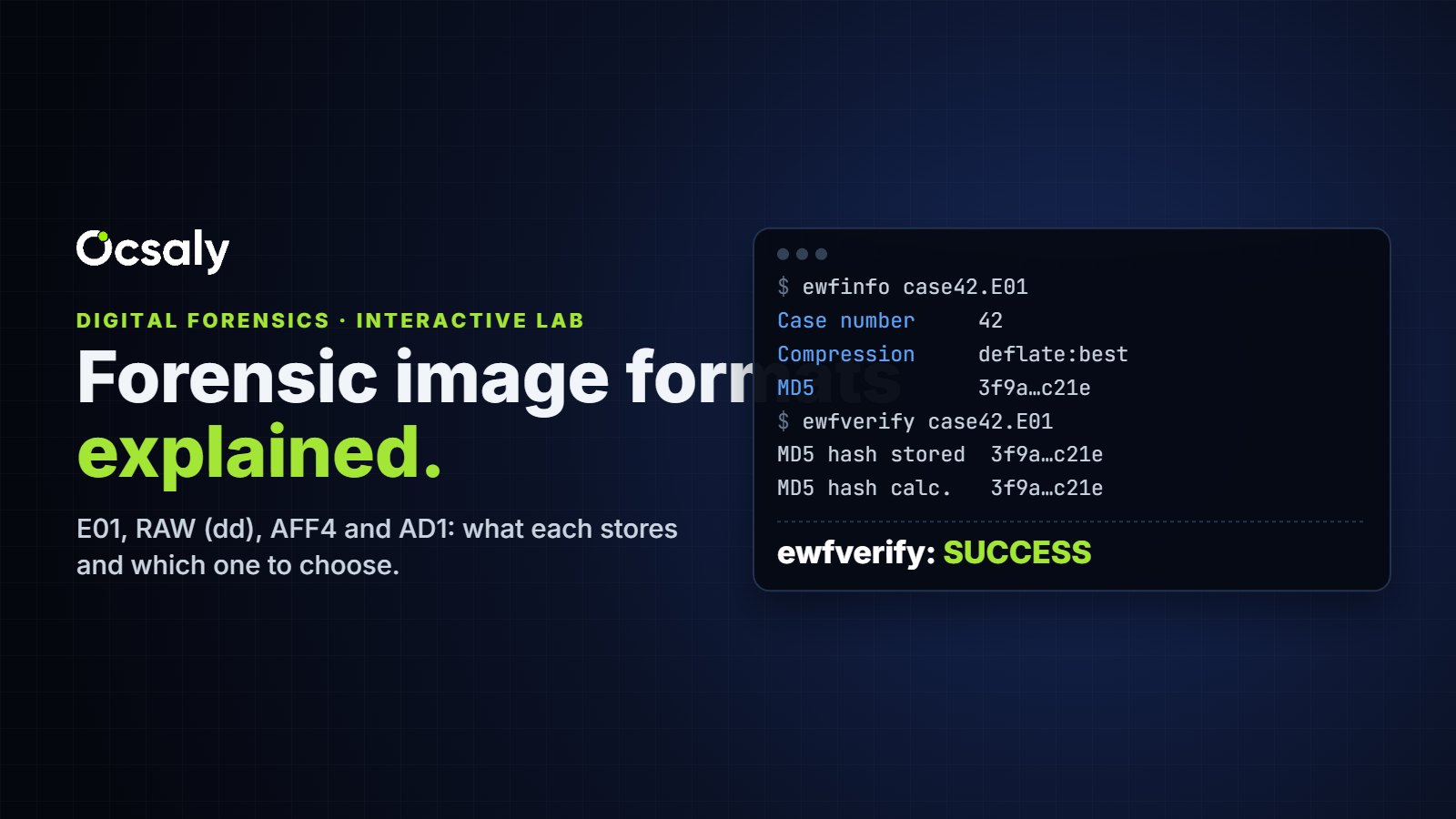
ewfinfo case42.E01

# Re-read every chunk and compare with the stored hash
ewfverify case42.E01
A common question: the hash stored in an E01 is the hash of the original disk data, not the hash of the .E01 file. Two E01 files of the same disk can have different file hashes (different compression or notes) and still verify to the same acquisition hash.
AFF4: the open, modern container
AFF4 (Advanced Forensic Format 4) is an open standard designed for very large images. It supports fast compression, sparse storage (empty areas take almost no space), several data streams in one container and rich metadata. Memory acquisition tools such as WinPmem can write AFF4, which makes it common in memory forensics.
Support is not universal. Check that the tools in your workflow read AFF4 before you choose it, and convert to RAW or E01 if a colleague or a court-appointed expert needs to work with the image. The older AFF versions (1 to 3) are deprecated.
AD1: logical images from FTK Imager
AD1 is AccessData’s logical image format, created in FTK Imager with “Add to Custom Content Image”. It holds selected files and folders with their metadata, not the disk’s sectors. You cannot recover deleted files or unallocated space from an AD1, because that data was never copied.
Use AD1 when you are only allowed to collect specific data, such as one user’s mailbox from a company server. Open it with FTK Imager or FTK; many other tools have limited support.
Converting between formats
# E01 to RAW (writes case42.raw)
ewfexport -t case42 -f raw case42.E01

# Mount an E01 read-only as a raw device, then mount the file system
sudo ewfmount case42.E01 /mnt/ewf
sudo mount -o ro,loop,noexec /mnt/ewf/ewf1 /mnt/evidence

# RAW to E01: run ewfacquire on the image file instead of the disk
ewfacquire -u -t case42 -f encase6 case42.dd
FTK Imager can also export any supported image to RAW, E01, SMART or AFF from File > Export Disk Image. After every conversion, verify that the hash of the data still matches the acquisition hash.
How to choose
- If your lab or the court expects a commercial suite, use E01. It is the safest default.
- If you need the widest compatibility, or you will carve, mount and script against the image, use RAW and store the hashes in your log.
- For memory captures or very large, mostly empty volumes in an open-source pipeline, consider AFF4.
- When a full image is not allowed or not needed, collect a logical AD1 and document why.
Whatever you choose: use a write blocker on physical disks, hash the source, record every step, and keep a working copy so the original image is never modified.
Interactive lab: which image format should I use?
Frequently asked questions
Is E01 better than dd?
Neither is better in every case. E01 adds embedded hashes, chunk checksums, case notes and compression, which help with integrity and storage. RAW (dd) is simpler and readable by every tool. Many examiners acquire to E01 and export to RAW when a tool needs it.
Can Autopsy open E01 files?
Yes. Autopsy and The Sleuth Kit read E01 through the libewf library, as well as RAW and split RAW images and common virtual disk formats such as VMDK and VHD.
How do I convert an E01 image to raw?
Use ewfexport from libewf (ewfexport -t output -f raw image.E01) or FTK Imager’s Export Disk Image. Verify the data hash afterwards.
Does compression change the evidence?
No. Compression only changes how the data is stored in the image file. When a tool reads the image, it decompresses the data and the hash of the disk data stays the same, which is how ewfverify can prove integrity.
What is the difference between a physical and a logical image?
A physical image copies every sector, including unallocated space and deleted data. A logical image (such as AD1) copies only selected files and folders, so deleted and unallocated data are not included.
What is Ex01?
Ex01 is the newer EnCase evidence format (EWF2) introduced with EnCase 7. It adds options such as encryption. Not every tool reads Ex01, so E01 remains the more portable choice.
Where to go next
Acquisition is only the first step. Working with images in Autopsy and The Sleuth Kit, memory forensics, file carving and writing the report are covered step by step in the Digital Forensics Training course. For the order in which to collect evidence and how to hash it, read Digital Evidence Acquisition, and for a click-by-click guide see How to Create a Forensic Image with FTK Imager.